Short ≈ 25 words
Speedy Flow, by Otopcy LLC, is a Mac app that turns your voice into polished text in every app and takes your meeting notes.

Press and partners
Everything you need to write about Speedy Flow: ready-to-quote descriptions, logos, colors, fonts and an app screenshot.
Overview
Three lengths, ready to use as is in an article, a listing or a presentation.
Speedy Flow, by Otopcy LLC, is a Mac app that turns your voice into polished text in every app and takes your meeting notes.
Speedy Flow is a voice dictation and meeting notes app for Mac, published by Otopcy LLC. Hold a key, speak, and Speedy Flow types clean, punctuated text wherever the cursor is, in every app. In meetings, it transcribes and writes the summary, with no bot in the call. More than 50 languages.
Speedy Flow is a voice dictation and meeting notes app for Mac, published by Otopcy LLC. Hold a key, speak naturally, and Speedy Flow types clean text wherever the cursor is, in every app: it removes filler words, fixes punctuation and adapts the tone to each app with Speeds. A personal dictionary and Snippets round out dictation.
In meetings on Zoom, Teams or Meet, Speedy Flow captures audio from the Mac, with no bot in the call, then writes a summary with key points, decisions and action items. More than 50 languages are supported. Notes stay on the Mac. A free plan makes it easy to get started.
Logos
SVG files, sharp at any size. Pick the version that suits your background.


Colors
Click a color to copy its hex code.
Typography
Editorial headings that mix roman and italic, and crisp text for everything else. Both fonts are licensed under the SIL Open Font License.
Aa Flow
Headings and big taglines, in weight 500, roman and italic. Italic highlights a keyword, often in blue.
View on Google Fonts →Screenshots
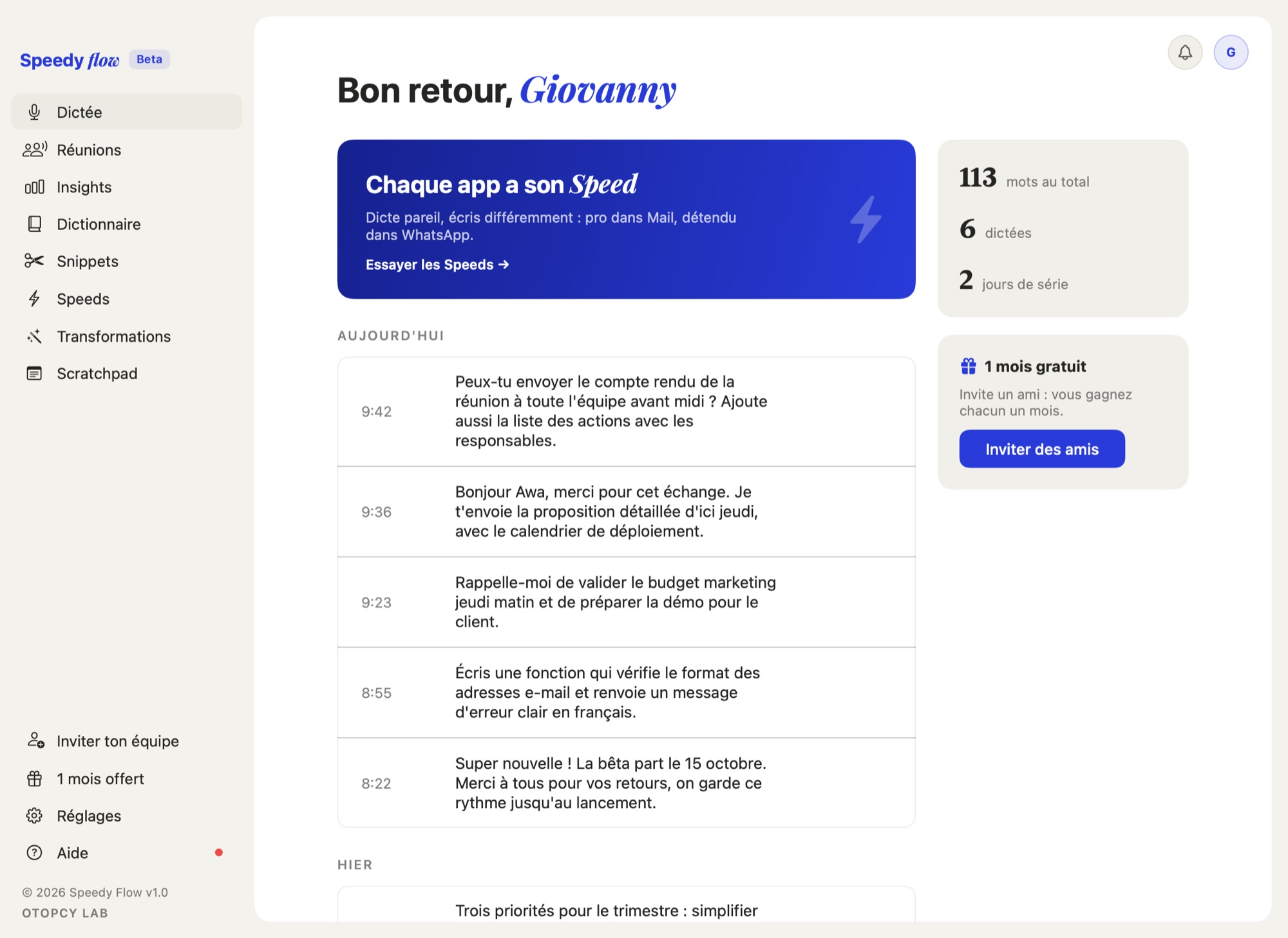
Today's dictation history, stats and the Mac app menu: Dictation, Meetings, Dictionary, Snippets, Speeds, Transformations. JPG, 2000 × 1457 pixels.
Download the screenshotAn interview, a visual in another format, a fact to check? Email us at [email protected] or use the contact form. To discover the product, start with voice dictation and meeting notes.